




 Outdoors
Dubai, United Arab Emirates · 6 hours
Desert safari with dinner under the stars
Dune drive
From €70 per person

Tours, tickets and day trips in 13 countries, booked next to your flights and hotels on Acyonn.
Pick a country to see what’s on there.
Recently added by Acyonn and its partner agencies.
OutdoorsDubai, United Arab Emirates · 6 hours
Dune drive
From €70 per person
 Tours
ToursKyoto, Japan · 3 hours
Before the crowds arrive
From €58 per person
 Day trips
Karlsruhe, Germany · 6 hours
Heidelberg Castle and the giant wine barrel
From €69 per person
 Tours
ToursKarlsruhe, Germany · 1.5 hours
Why the streets fan out from the palace tower
From €29 per person
 Day trips
Cusco, Peru · 14 hours
Train through the Sacred Valley
From €395 per person
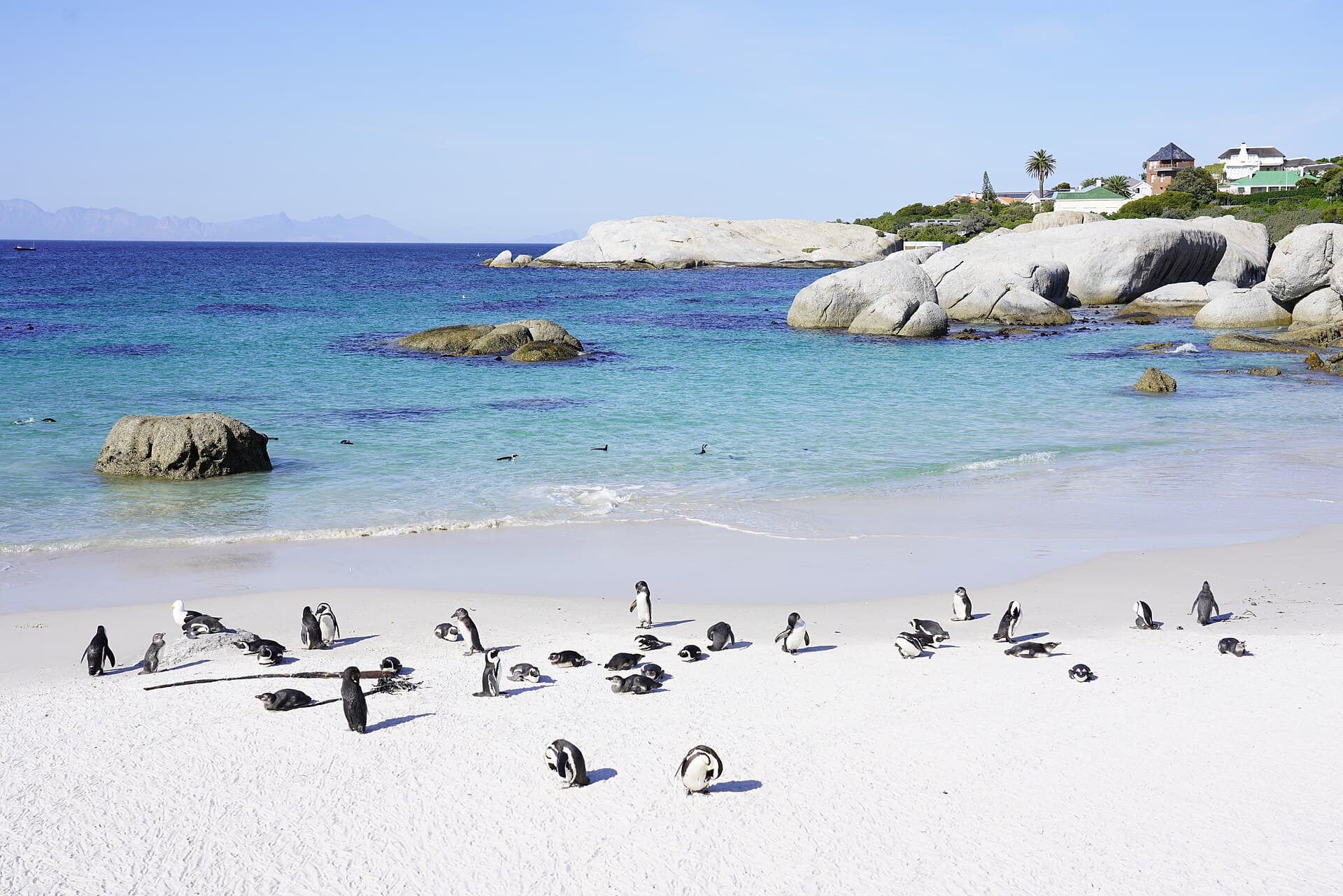 Outdoors
Simon's Town, South Africa · 5 hours
Boulders Beach penguin colony
From €62 per person
 Day trips
Cape Town, South Africa · 9 hours
Cableway tickets booked for the first morning slot
From €120 per person
 Attractions
London, United Kingdom · 4 hours
Crown Jewels entry
From €72 per person
Browse by what you like doing, wherever you are.
For travel agencies
Bookings from your GDS, customers, invoices, the cash book and your team, in one place built for travel agencies. No more copying PNRs into spreadsheets.
Each part works on its own, and together they keep the books in step with the bookings.
Connect AIRTUERK or the Acyonn PNR feed once. Every new booking, change, refund and ancillary becomes a booking with its passengers and charges.
Every traveller with their trips, contact details and passport, plus a warning 90 days before a passport expires.
See what each customer still owes and which trips leave within 14 days with a balance. Record payments by cash, card or transfer.
Income, expenses and supplier payments land in the cash book with the right accounts, ready to export for your tax adviser.
Add tours and day trips to the trips you already manage, or publish your own to every traveller on Acyonn.
Owners, admins, sales and support each get their own sign-in and see only what their role allows. Two-step sign-in is one click away.
Two feeds, no typing. Use one or both.
Point Acyonn at the SFTP folder your AIRTUERK export writes to. Every few minutes new files are collected and become bookings in your agency, nobody else's.
One feed carries flight, hotel, car and transfer bookings for every agency. Each file names a GTS agency number, and a UTS number for sub-agencies. Add your numbers on the Booking feed page and every new file with them lands with you automatically.
Changes, refunds, voids and extra services in later files update the same booking. A file that can’t be read is kept and shown with the reason, so nothing goes missing silently.
Each flight is classified from the countries of its airports and which of them are in the EU on the travel date. A trip takes its widest zone, and the zone picks the account it is booked to.
| Zone | When it applies | Account |
|---|---|---|
| National | Every airport on the route is in the same EU country | 1368 |
| EU | All airports are in the EU, across more than one country | 1362 |
| Third country | At least one airport is outside the EU | 1363 |
These are the default accounts set up with every new agency. The zone and account appear on each booking and in the cash book export for your tax adviser.
Create an account and tell us about your agency: registration number, address and a contact.
Our team checks the registration and emails you as soon as your agency is approved, or if we need anything else.
Add your SFTP booking feed, invite colleagues, and your dashboard starts filling itself.
Apply in a few minutes. Once we’ve verified your registration, your dashboard is ready for your bookings, customers and team.

Right after booking you receive a confirmation email with your ticket. Show it on your phone at the meeting point.
Each experience shows its own cancellation window before you pay. Most can be cancelled for free up to 24 hours before the start.
Where an experience offers pickup it says so on the listing, and you choose your hotel when you book.
Yes. Agencies and companies on Acyonn add experiences to trips they already manage, next to flights, hotels and invoices.